


How to Implement a Sticker Builder and Get 100% Out of It
Implementing Sticker Builder can genuinely increase your e-commerce conversion rate and average order value, because when customers can easily customize and order a product, they buy more often and hesitate less. At Sticker Builder, we approach every implementation individually and actively support print shops selling stickers: your success is our success, which is why we provide a tool that works and delivers great results. At the same time, the best results come when key steps are also taken on the e-commerce side – properly preparing your offer, messaging, and purchase journey. In this article, we’ll show you exactly what to do to unlock 100% of Sticker Builder’s potential.
Enable Sticker Builder on Key Products so Customers Can Find It Fast
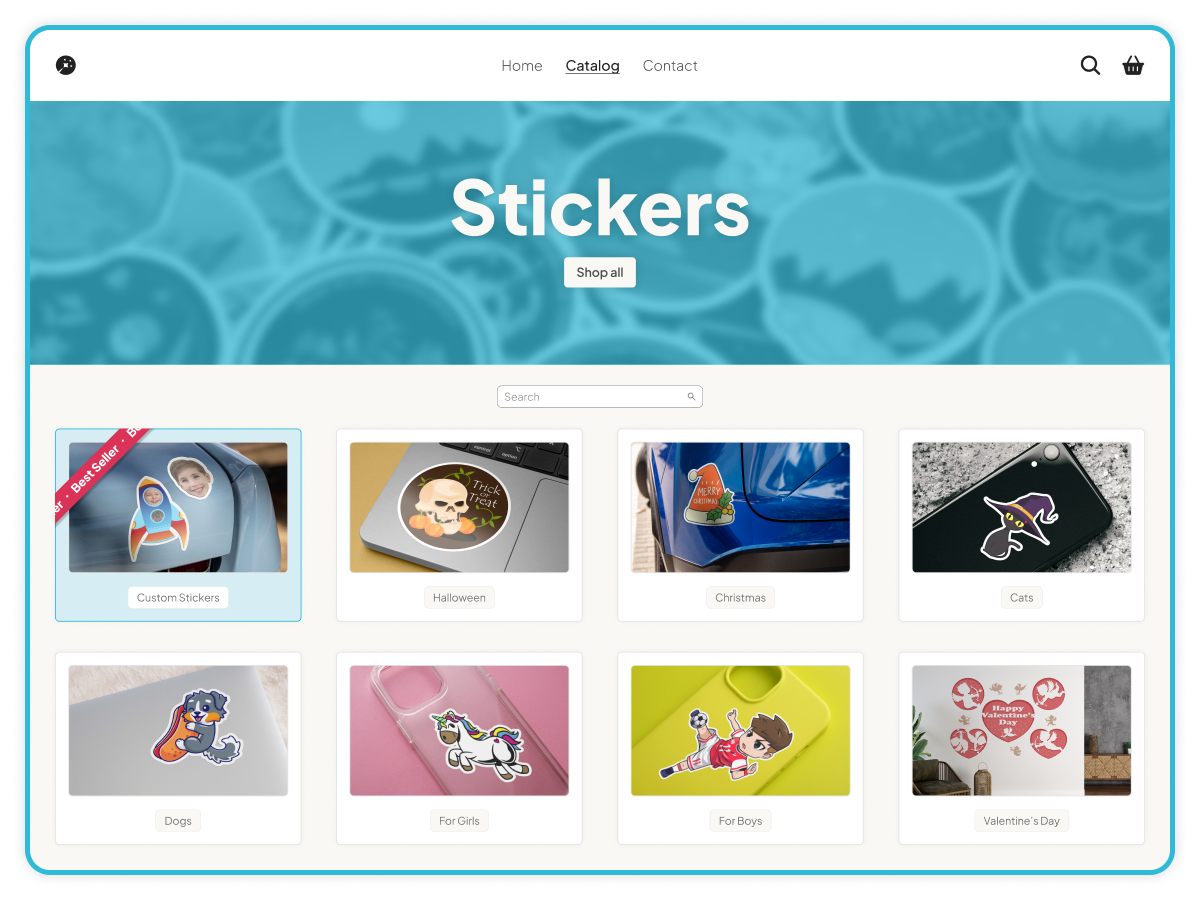
If customers have to click around and look for customization, most of them simply won’t do it – so make Sticker Builder the default, visible path instead of a hidden option. If you want to sell more custom stickers (and benefit from their higher price and margin), enable Sticker Builder directly on your main sticker products – especially best-sellers and high-traffic category pages – so shoppers see it immediately when they’re ready to buy. The goal is simple: reduce friction and let people start customizing in one click. Sticker Builder also helps you sell up, because it makes it easy to show different materials and finishes. That means you can naturally promote premium materials by letting customers compare options visually and choose the upgrade with confidence.
Keep the Buying Flow Familiar: Connect Sticker Builder to “Upload File”
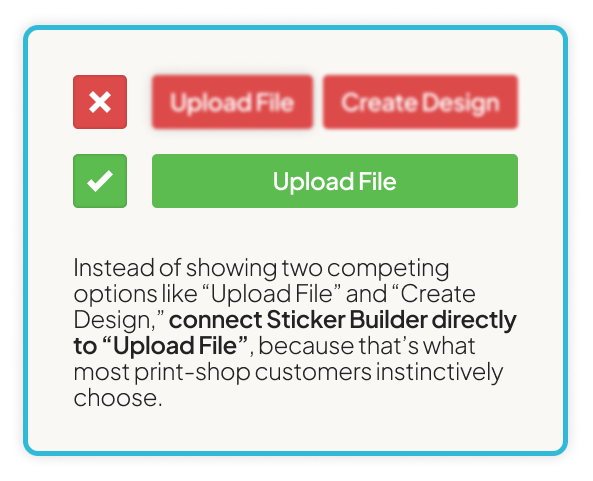
Don’t force customers to learn a new buying path – build on the one they already trust. Instead of showing two competing options like “Upload File” and “Create Design,” connect Sticker Builder directly to “Upload File,” because that’s what most print-shop customers instinctively choose. This keeps the experience consistent with Sticker Builder’s natural flow: the customer uploads their artwork, the tool automatically generates the sticker design, shows a clear preview, and lets them approve it right away. If customers want to make additional changes, they can make edits before confirming, without breaking the familiar ‘upload and order’ journey.
Empower Customers to Self-Serve and Offer Manual Proofs for Those Who Need Reassurance

Make self-service the default, but don’t forget the customers who want a “human double-check” – especially for complex and unusual projects. Sticker Builder is designed so most shoppers can upload, preview, and approve their design instantly, while the system generates print-ready files automatically – fast and without unnecessary back-and-forth. But for anyone who feels unsure, you can enable an optional Manual Proof step: the customer can add a note/comment and request a quick review with a single click, giving them extra confidence before production. This safety net can be offered for free or as a paid add-on, and your team receives a notification along with the generated files to verify everything – so you keep the speed of automation while adding the reassurance of a human check when it’s truly needed.
Use “Instant Proof” in Your Ads – Customers Know It Means Faster Orders
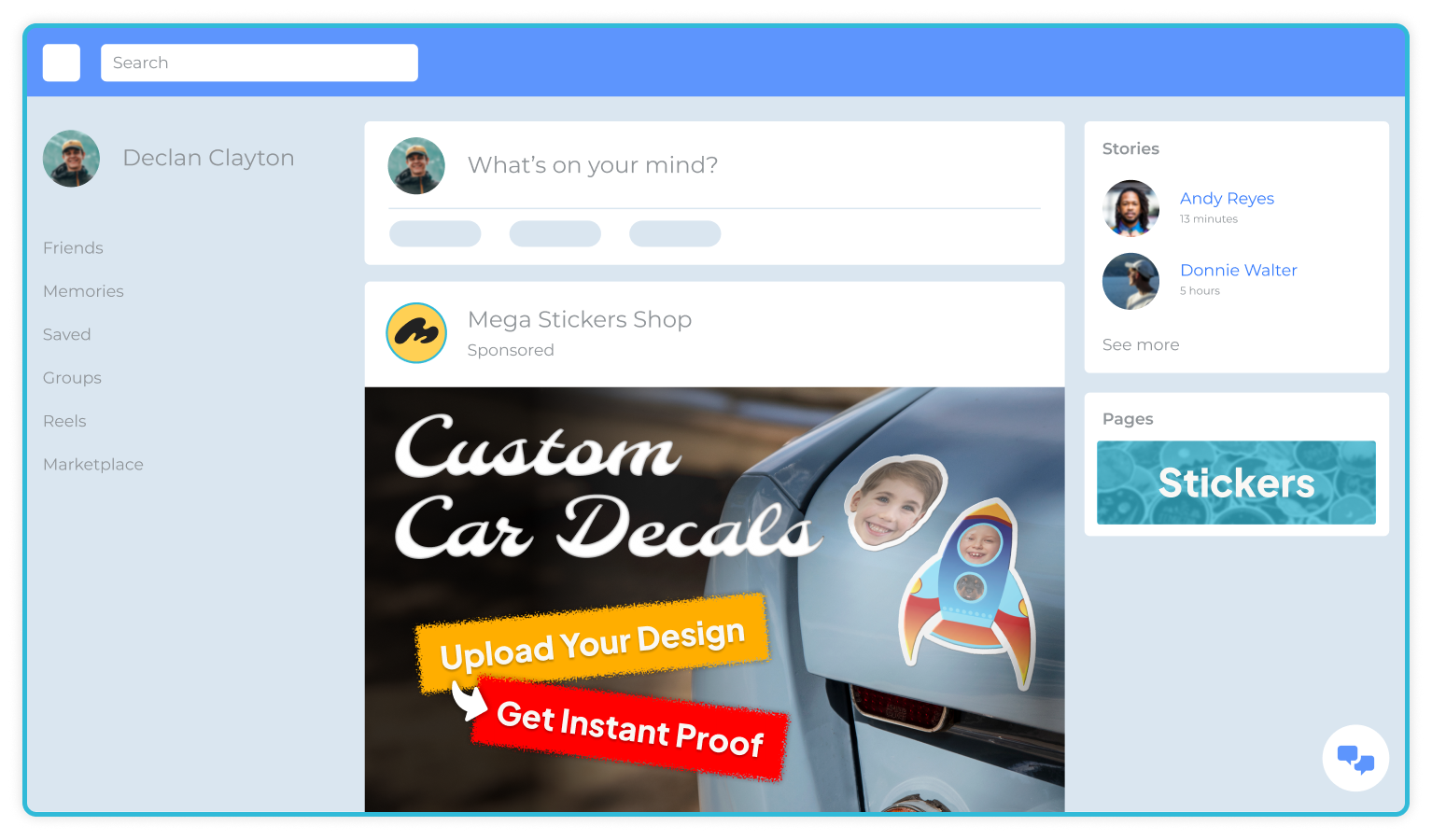
Use the phrase “Instant Proof” in your ads and on your website, because it’s intuitive for customers and instantly communicates the benefit: fast and no waiting. Customers understand they’ll see a preview right away, won’t have to wait for manual proof, approve it over email, and only then have their order moved into production. And because most shoppers want the process to be simple, convenient, and immediate, they’re increasingly looking specifically for offers that include this option. By highlighting “Instant Proof” in your messaging, you create a clear advantage: a shorter time to production, fewer steps along the way, and a better buying experience.